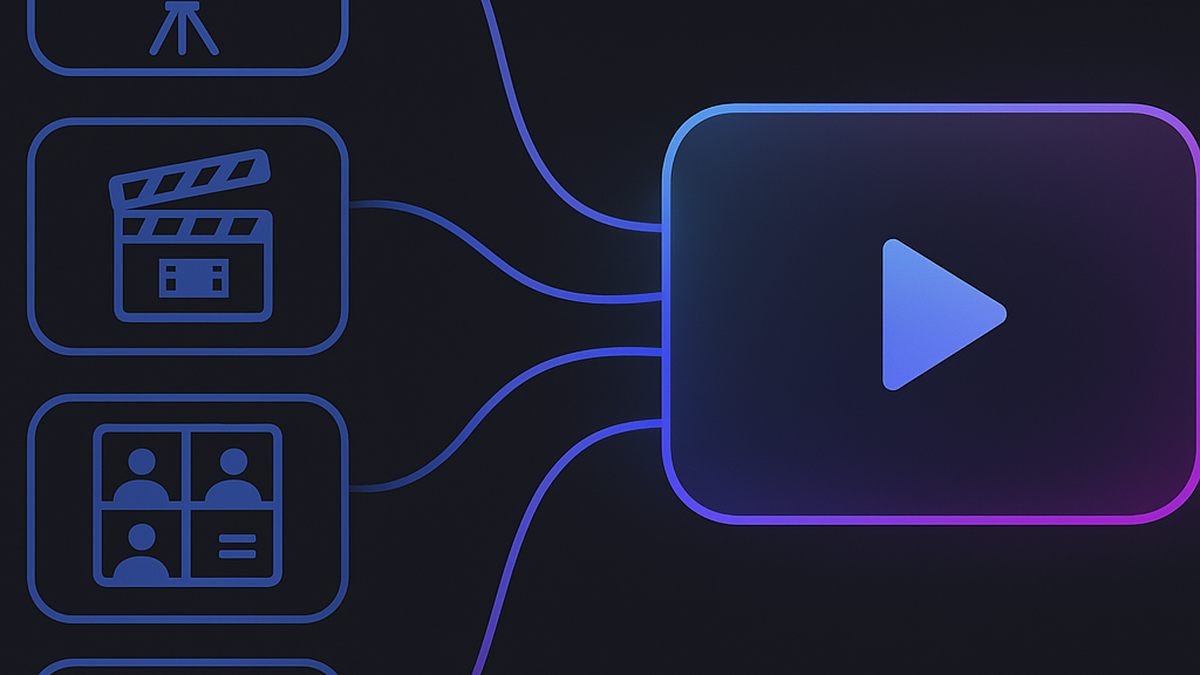
How to make a multi-scene video with AI Director (one brief in, full video out)
AI Director splits your idea into a storyboard, routes each scene to the right model, and generates a complete multi-scene video. Here's the step-by-step process with a real example.
Single AI clips are great for testing ideas. But at some point you need a video with a beginning, a middle, and an end — a hook, a product moment, a payoff. Stitching five separately-generated clips into that by hand is slow and usually looks patched together.
That's the exact problem AI Director solves. You describe the whole idea in plain language, and it breaks the idea into scenes, plans each shot, and generates the complete video for you.
Here's how I use it, with the actual brief I gave it for a recent project.
What AI Director actually does
Quick orientation before the steps. When you submit a brief, Director:
- Breaks your idea into scenes — a hook, product moments, a closing shot, matched to the duration you asked for
- Plans each scene as a shot with its own visual description
- Generates every scene and assembles them into one video
You choose a target duration (10 to 60 seconds) and it structures the story to fit. A 10-second video gets 2-3 scenes; a 30-second one gets a fuller arc.
Step 1: Write a brief, not a prompt
This is the mindset shift. A prompt describes one shot. A brief describes the whole video like you'd explain it to a video editor:
"A 20-second ad for a small ceramic pour-over coffee dripper. Open on a chaotic Monday morning — alarm clocks, rushed energy. Someone sets the dripper on a glass carafe, and the mood shifts: warm light, steam rising, slow pour. Close on the finished cup on a windowsill, calm. The feeling is 'slowness you can buy.'"
Notice what the brief contains that a prompt doesn't: a mood change, a sequence of moments, and a feeling to land on. That's the material Director needs to build a storyboard.
Compare the same idea as a single-clip prompt:
"Ceramic pour-over dripper on a glass carafe, steam rising, warm morning light, slow pour, cinematic."
That makes one beautiful shot. It cannot make a story. If your idea has a "then" in it — first this, then that — it wants to be a Director project.
Step 2: Set the duration before anything else
Duration decides the story structure. Rough guide from my projects:
- 10 seconds: one product moment, 2-3 scenes. Ads and teasers.
- 20-30 seconds: room for a small narrative — problem, solution, payoff. Most product stories live here.
- 40-60 seconds: full mini-stories. Use sparingly; longer runs cost more credits and give you more places to fix.
Pick the shortest duration that fits your idea. You can always go longer on the next run.
Step 3: Read the storyboard before generating
After you submit the brief, Director proposes its scene breakdown. Do not skip past this. Two minutes of reading saves wasted generations.
Check three things:
- Does the order make sense? The hook should be scene one, not buried in the middle.
- Is anything missing? If the brief mentioned the lid and no scene shows the lid, say so.
- Does any scene ask for the impossible? "The same character from five angles in 3 seconds" is where AI video struggles. Simplify those.
You can adjust the plan at this stage cheaply. After generation, changes cost credits.
Step 4: Generate, and let it run
Once the storyboard looks right, start the generation and step away. Multi-scene projects take longer than single clips — there are several renders happening.
One practical note: while it runs, prepare where the video will go. If it's destined for Reels or Shorts, check whether you need a vertical crop. Planning this now means you can publish the moment the file lands.
Step 5: Fix the weak scene, not the whole video
The first full result is rarely perfect, and that's fine. What matters is how you fix it. Watch the assembled video and find the one scene that breaks the flow — usually just one.
Regenerate that scene with a sharpened description, keep everything else. This is the difference between a 3-credit fix and a 15-credit do-over. My most common single-scene fixes:
- Scene too busy: split it into two calmer scenes, or cut it
- Motion looks weird: simplify the action to one clear movement
- Style drift (one scene doesn't match): re-describe the lighting and mood words from your brief in that scene's prompt
When to use Director vs a single clip
| Situation | Use |
|---|---|
| Testing whether an idea is visually interesting | Single clip (Text-to-Video) |
| Animating one real product photo | Single clip (Image-to-Video) |
| An ad with a story arc — problem, solution, payoff | AI Director |
| Anything where you'd write the word "then" | AI Director |
| A quick style experiment before spending real credits | Single clip, cheap model |
The pattern I settled on: prove the look with single clips first, then hand the winning idea to Director for the full version.
Mistakes I made so you don't have to
- Writing a prompt-length brief. Two or three sentences with a mood is ideal. A 300-word script makes the storyboard generic.
- Starting at 60 seconds. My first Director project was a 60-second brand film. It was ambitious, expensive, and mid. The 20-second version I made later was better in every way.
- Skipping the storyboard review. The one time I blindly accepted the plan, scene one was the product reveal and the hook didn't exist. Two minutes of reading would have caught it.
- Regenerating everything after one bad scene. The assembled video is made of parts. Fix the part.
Related reading
- How to use MakeClipAI: step-by-step tutorial — if you haven't made your first single clip yet, start there
- From prompt to video: my complete workflow for Instagram — the manual multi-scene process Director automates
- AI video model comparison — which engines Director routes to and why
Try AI Director now — write your idea like you'd text a friend, and let it do the storyboard.
Ready to create your own AI video?
Turn the ideas from this guide into a finished clip with MakeClipAI. Start with the generator for a quick prompt, or use AI Director mode when you want a multi-scene storyboard.
Author
Categories
More Posts
Image to video: How to animate your product photos with AI
Stop reshooting product videos. Here's how to turn photos you already have into AI-generated product demos, social clips, and ads — with tips for consistent results.
How I make TikTok ads with AI in under 10 minutes (real workflow)
I run a small online store and I'm not a video person. Here's my exact 10-minute workflow for making TikTok ads with AI — from prompt to publish.